AI-Upscaling for thermal images
Thermal sensors usually have fairly low resolution: 640×480 is considered high, and many cameras are 320×240 or smaller. AI-Upscaling enlarges a radiometric image or a single frame of a recording by 2× or 4× using a super-resolution model, while keeping temperature data for every output pixel.
Before and after
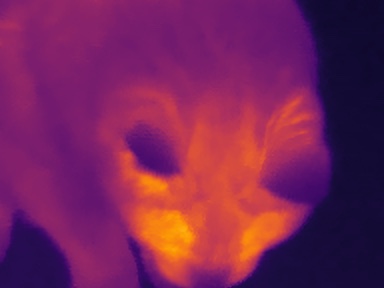
Each comparison below shows the same crop of the same frame using the same palette and temperature range. The original is shown with square pixels so you can see the raw sensor resolution, next to bicubic interpolation and AI-Upscaling at the same output size. The main difference is along the edges, which come out cleaner.

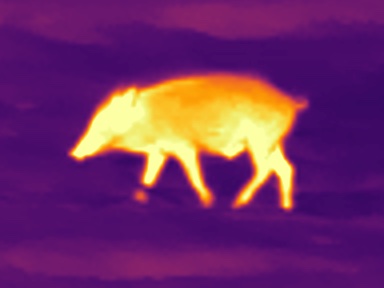
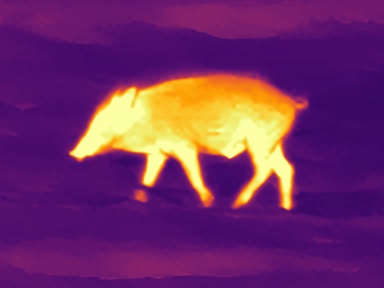
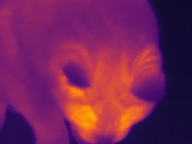
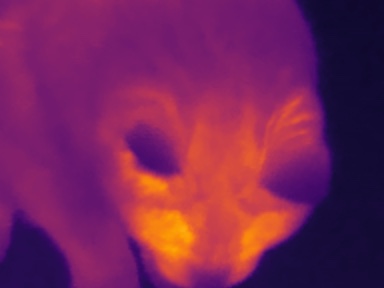
How to upscale a thermal image
- Open the viewer and upload a radiometric FLIR .jpg, an .fff frame, or a .csq or .seq recording.
- For a recording, go to the frame you want to upscale.
- Select 2× or 4× and click AI-Upscaling. Progress is shown on the button while it runs.
- The result opens as its own image in the viewer. You can inspect pixel temperatures, switch palettes, and download it as PNG or JSON just like any other file.
How it works
A regular upscaler only enlarges RGB pixels. Here, the model runs on the underlying radiometric data first and applies the color palette afterward:
- Raw sensor data instead of colors. The model runs on the camera's raw detector values, which are proportional to infrared radiance. Radiance averages linearly across a pixel: a pixel split evenly between a 60 °C object and a 20 °C object receives the average radiance rather than 40 °C. The selected color palette doesn't affect the upscaling.
- Normalized for the model. Super-resolution models expect values between 0 and 1, so the frame's coldest pixel maps to 0 and its warmest maps to 1. The camera's 16-bit values fit into 32-bit floats without losing precision.
- Processed in tiles. The image is split into overlapping 256-pixel tiles, upscaled tile by tile, and blended back together to avoid seams. The progress bar on the button tracks these tiles.
- Rescaled and clamped. The output is mapped back to the original scale and clamped to the frame's measured minimum and maximum, so the model can't invent temperatures outside what the camera actually recorded.
- Saved as a radiometric image. The upscaled sensor data is saved with the original calibration (Planck constants, emissivity, reflected temperature, distance, and humidity), so every pixel converts to a temperature the exact same way as the original file.
As a sanity check, averaging each 2×2 or 4×4 block of pixels in the upscaled image recovers the original pixel's temperature to within a few hundredths of a degree.
Which model is used
AI-Upscaling uses SPAN ch48, a lightweight super-resolution network with 0.4 million parameters. It was selected after benchmarking 21 architectures on real FLIR recordings: two frames from five recordings were downscaled by averaging pixel blocks (matching how thermal detectors average radiance), then upscaled back by each model and compared against the originals in °C.
| Method | Temperature error vs bicubic, 2× | 4× |
|---|---|---|
| SPAN ch48 (used here) | −23% | −21% |
| SwinIR-S light | −20% | −18% |
| HAT-L, a large transformer | −17% | +2% |
| Lanczos interpolation | −9% | −6% |
| Real-ESRGAN and other GAN models | 40–68% worse | |
Larger transformer models that perform well on regular photos did worse on real thermal frames because they tend to amplify sensor noise. GAN-based models like Real-ESRGAN also performed poorly because they invent fine texture instead of preserving measurements. SPAN was both the most accurate and the fastest, which makes it practical to run on the server.
What it can and can't do
AI-Upscaling gives somewhat crisper edges, higher resolution for reports, and a better estimate of temperatures between measured pixels than standard interpolation. However, it can't add information the sensor never captured. Objects smaller than one original pixel still can't be measured accurately, and temperatures along sharp edges are still estimates. For critical measurements, keep the original file as your reference and note that the image was upscaled.
Waiting time
Upscales share a processing queue with video exports, running one job at a time. If another job is running, the button will show that your request is waiting. Small images finish in a few seconds, while larger frames take a bit longer.
Frequently asked
What is AI-Upscaling of a thermal image?
AI-Upscaling enlarges a thermal image with a neural network trained for super-resolution instead of plain interpolation. Here it works on the raw sensor signal of a radiometric image, so the result is again a radiometric image: two or four times the resolution, with a temperature behind every new pixel.
Does AI-Upscaling make temperature measurements more accurate?
No upscaling adds information the sensor never captured. What it does is estimate the values between the measured pixels more closely than bicubic interpolation: in the benchmark behind the model choice, the temperature error was about a fifth lower. The result stays within the range the camera measured, but an object smaller than one original pixel is still not measurable, so keep the original file for measurement-critical work.
Should I choose 2× or 4×?
2× is the more conservative choice: fewer of the new pixels are estimates, and the file stays smaller. 4× suits small images such as 80×60 or 160×120 sensors, or a detail you want to show large. Each factor has a model of its own, so both take about the same time.
Which AI model is used?
SPAN ch48, a small super-resolution network trained for fidelity rather than looks. Out of 21 architectures tested on real FLIR recordings it restored temperatures best, and it is also the fastest. Models trained to make photos look sharp, such as Real-ESRGAN, invent texture and got temperatures 40 to 68 percent worse than bicubic interpolation.
Can I upscale a whole thermal video?
Not yet, AI-Upscaling works on one image or one frame at a time for now. Due to the high computational cost, we are evaluating options to offer this feature in the future.
Guides
- What is a CSQ file?
- Convert CSQ to MP4
- Export frames as PNG
- FLIR JPG viewer
- Open SEQ and FFF files
- Change emissivity
- AI-Upscaling
- Supported cameras
If you need help working with .CSQ files or thermal images and videos in general, feel free to contact me.